Upgrading the Amiga
The mods you can fit to an Amiga today, and what to know first.
Floppies on a USB stick, HDMI, more memory and accelerators made this decade: what exists for your Amiga, who makes it and which models it fits.
- 27
- 8
- 52
Why upgrade today
An Amiga that is almost forty years old has three enemies: floppies that no longer read, mechanical hard drives with decades of use behind them and a video signal that many of today's screens won't accept. Nearly every modern mod tackles one of these problems, and many are open projects, made by enthusiasts and published with schematics and code.
For floppies, a Gotek with the FlashFloppy firmware swaps the drive for a USB stick full of disk images, with no reliance on degraded magnetic media [22]. For the hard drive, a CompactFlash card on the IDE port of the A600 or A1200 gives you a system with no moving parts [25]. For video, there are solutions that read the digital data straight from the Denise chip and pass it to HDMI, pixel for pixel [33].
Then come the upgrades the Amiga never had from the factory: more chip RAM on the A500 [17], accelerators with real 68030 or 68060 chips [13] [11], or with the processor emulated on a Raspberry Pi [1], networking [45] and high-resolution graphics [50].
You don't need to do everything. To play the classics, a stock A500 with a Gotek and a good picture is more than enough. Accelerators make more sense if you want to run applications, AGA demos or a modern Workbench.
Original or modified
Before you pick up the soldering iron, ask yourself what you want from the machine ten years from now. A well-kept original Amiga is a collector's piece; an Amiga full of soldered wires and cut traces is something else, even if it works better.
The good news is that most of the mods on this page are reversible. A500 accelerators go into the processor socket [1] [15], A1200 ones into the trapdoor slot [13] [7], video adapters sit between the Denise chip and its socket [33], and the ACA500plus plugs in from the outside, on the side expansion port, without opening the computer [26] [27]. Take the board out and the machine goes back to how it was.
Others can't be undone without leaving a mark: cutting the JP2 jumper trace to get 1 MB of chip RAM on an A500 [18], drilling the case for an HDMI output [33] or soldering memory chips onto the motherboard [19]. On each mod's card we say whether it is reversible.
One simple tip: keep everything you take out, from the original floppy drive to the Kickstart chip, in an antistatic bag with a label. If one day you want to sell the machine, or go back, you'll be glad you did.
Faster doesn't mean better: many games were made for a stock A500.
Where to start
First, the machine's health. There's no point putting an accelerator in an Amiga with leaking capacitors or faulty memory. DiagROM, a free diagnostic ROM that goes in place of the Kickstart, tests the memory, the floppy drive, the CIAs, the interrupts and the clock, and also sends the results over the serial port [41] [42].
Next, storage: a Gotek with FlashFloppy [22] and, on the A600 or A1200, a CompactFlash card on the internal IDE [24]. On the A500, the ACA500plus combines two CF readers, memory and several Kickstarts in a single box [27]. This is the change you'll feel most from day to day.
After that, video. If you don't have a monitor that accepts the original signal, an RGBtoHDMI [32], an Indivision [35] [37] or an external OSSC [38] solve the problem in different ways. Only then memory and, finally, the accelerator, if you still need one.
This order isn't law, but it avoids a common mistake: spending on a fast accelerator and still loading games from floppies that no longer read, on a TV that shows a flickering picture.
Power and heat
The original power supply is the weak point. According to Individual Computers, conventional supplies don't compensate for the voltage drop in the cable and end up giving too much voltage to a stock machine, or too little to a heavily expanded one, which can cause faults or even damage [51]. The CA-PSU, made for the A500, A600 and A1200, keeps the voltage stable and has overvoltage protection [51].
For safety: never open a power supply. The 230 V side can give a dangerous shock even when unplugged. If your original supply runs too hot, smells of burning or gives odd voltages, replace it with a new, sealed supply, or bring it to the shop for us to look at.
Every board you add draws current from the same supply. Before fitting an accelerator, a Gotek and a video adapter at the same time, check that the supply can handle the lot. Some accelerators even let you lower the speed to use less power: the ACA1233n comes with a program that adjusts the clock to what the application needs [13].
Heat matters too, especially on the A1200, where the accelerator sits shut in under the keyboard. The PiStorm32-lite guide says to apply a thermal pad to the heatsink [3] and to insulate the Raspberry Pi's pins with tape, as otherwise they can touch the keyboard or the metal shielding and burn out the Pi [2] [3].
Compatibility
Faster doesn't mean better. Much of the Amiga's game library was written for an A500 with Kickstart 1.2 or 1.3, and some titles don't work with newer versions [40]. Others misbehave on a faster processor than the one they were made for.
WHDLoad, by Bert Jahn, installs floppy games and demos on the hard drive and solves many of these cases: its own documentation suggests the NoCache option when the system is too fast [52]. Even so, some titles only run properly on the stock machine.
That's why the best accelerators let you go back. The ACA1233n switches off the 68030 and hands control back to the A1200's processor [13], the ACA1234 stays in invisible mode until the next boot [14] and the ACA500plus lets you choose the 68000's speed, with 14 MHz as the safe value [27].
Accelerators that emulate the processor, such as the PiStorm and the Vampire, deserve a separate note. The processor is no longer a Motorola chip: on the PiStorm it's a program running on a Raspberry Pi [1] [4], on the Vampire it's a 68080 core inside an FPGA [9]. They are very fast, but compatibility depends on the quality of the emulation rather than on the original silicon, and the PiStorm project itself warns that part of the bus is not yet fully handled [1].
At the shop
At RetroDreams we fit these mods. Before we touch anything, we tell you what is reversible and what isn't, so you can decide with everything on the table.
If a mod doesn't make sense for what you want from your Amiga, we'll tell you that too. Sometimes the best upgrade is getting the original machine working as it should.
For a quote, use the repairs form and tell us the model and the mod you're interested in.
Never open a power supply: the 230 V side can kill, even when unplugged. An old supply is replaced with a new, sealed one.
The upgrades
Pick your machine and only the ones that fit it remain.
Storage
Virtual floppies on a USB stick, CompactFlash cards in place of the IDE drive and SD cards acting as SCSI drives. No moving parts, and backups are easy to make on a modern computer.
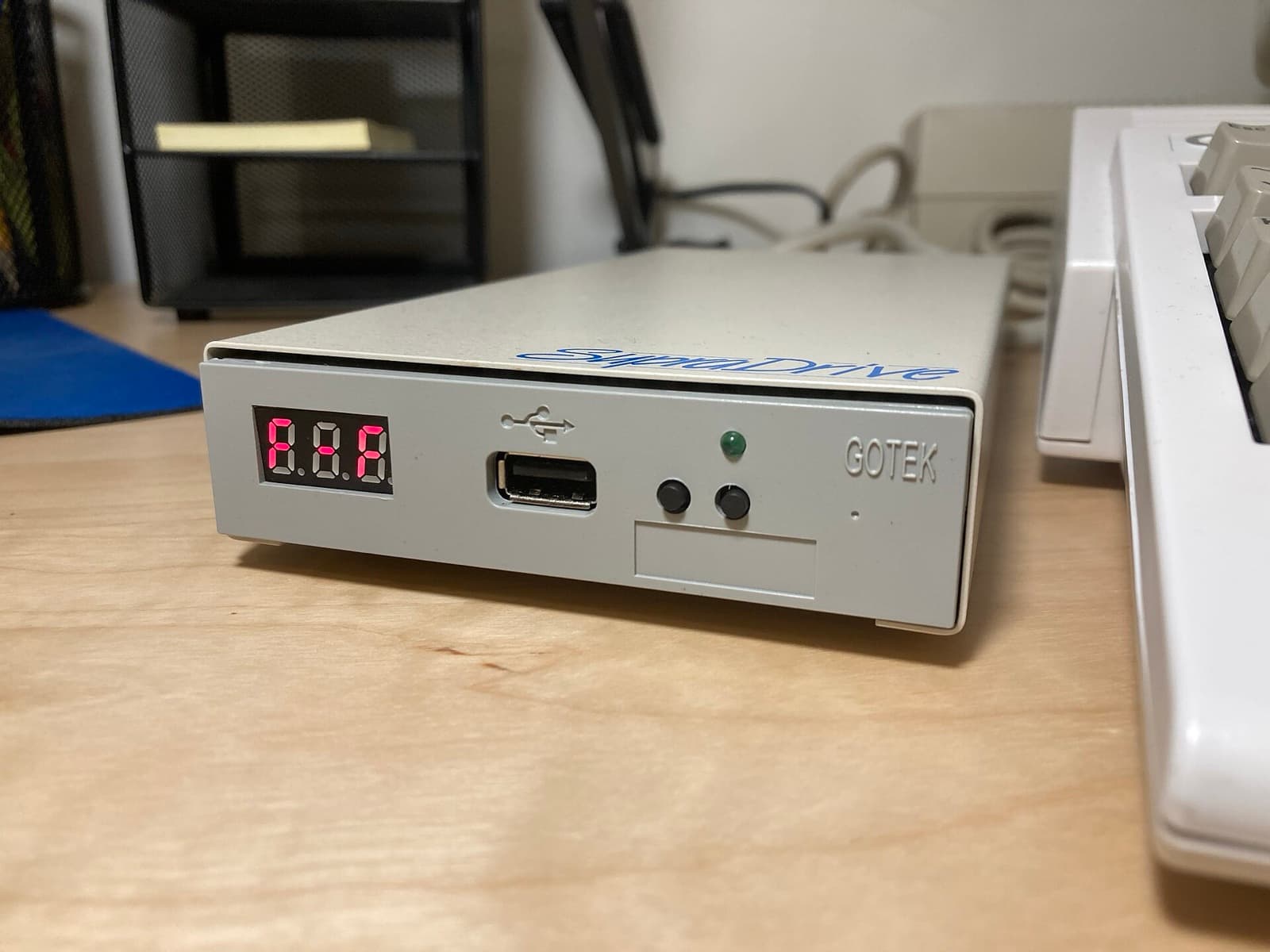
Gotek + FlashFloppy
- Installation: Open and fit
- Reversible
- Open project
The Gotek is a floppy drive emulator that reads images from a USB stick; with Keir Fraser's open FlashFloppy firmware, it reads and writes ADF and HFE images, among others [22]. To replace the internal drive (DF0) you normally just need a jumper on S0 [23].
Careful High-density images (1760 KB) may need the option interface = amiga in the FF.CFG file [23].
Machines: Amiga 1000, Amiga 500, Amiga 500 Plus, Amiga 600, Amiga 1200, Amiga 2000, Amiga 3000, Amiga 4000
Official page ↗Photo: Jcassara86 · CC BY-SA 4.0 · Wikimedia Commons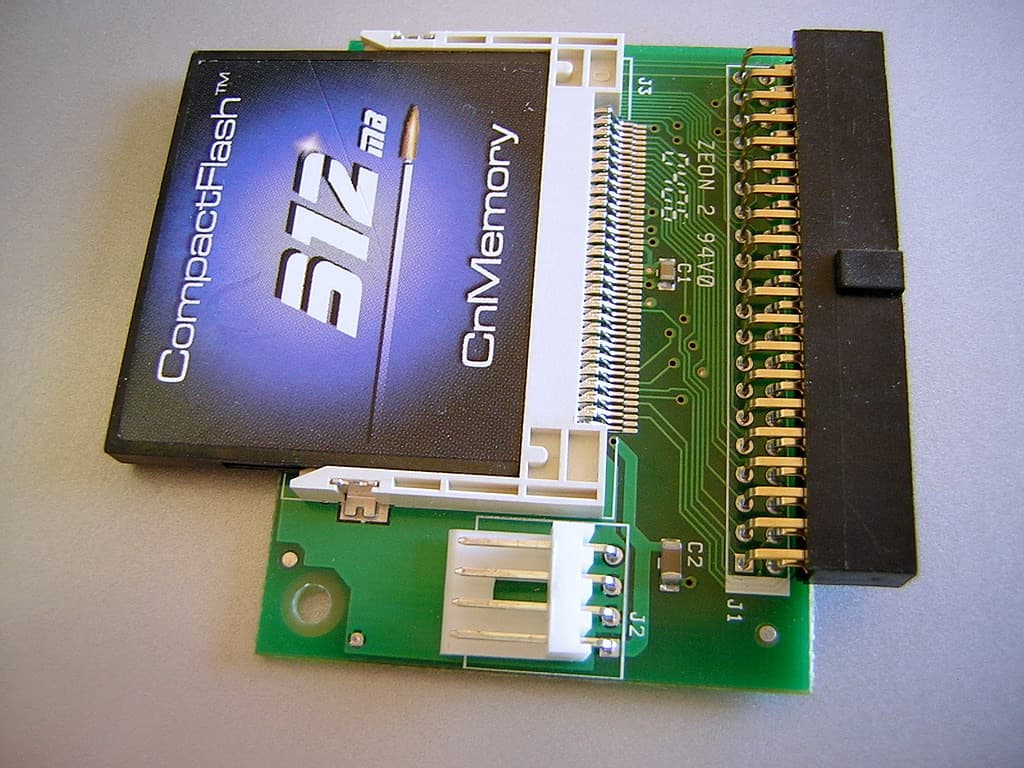
CompactFlash card on the 44-pin IDE
- Installation: Open and fit
- Reversible
The A600 and A1200 have a 44-pin IDE connector that takes an adapter for CompactFlash cards [24]. You end up with a drive with no moving parts [25]. Individual Computers sells an adapter with all signals protected which, according to the manufacturer, accepts any CF card [24].
Careful The adapter doesn't speed up the IDE [24]. With Kickstart 3.1, partitions under 2 GB and MaxTransfer at 0x1FE00 avoid problems [25]; AmigaOS 3.2 already supports drives larger than 4 GB [39].
Machines: Amiga 600, Amiga 1200
Official page ↗Photo: MOS6502 · Public domain · Wikimedia Commons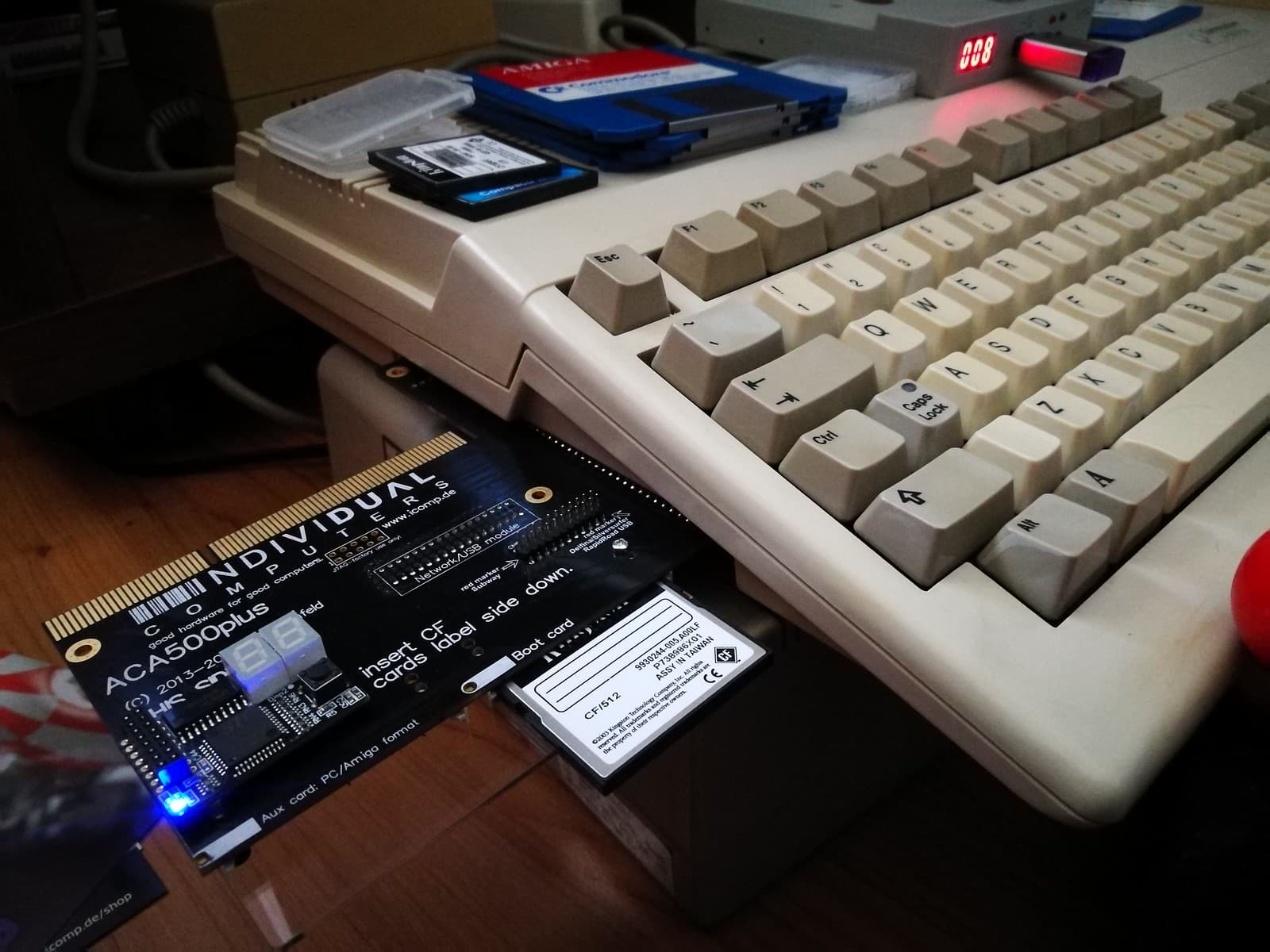
ACA500plus
- Installation: Plug in
- Reversible
A box that plugs into the A500's side expansion port, without opening the computer [26] [27]. It brings a faster 68EC000, 8 MB of memory, two CF readers, an Action Replay-compatible freezer and several Kickstarts to choose from at boot, including 1.3 and 3.1 [27]. It also takes A1200 accelerators, such as the ACA1233n [27].
Careful According to the manufacturer, 14 MHz is the safe, guaranteed speed; from 21 MHz upwards it's a bonus, outside support [27].
Machines: Amiga 500
Official page ↗Photo: Decio "desmodex" · CC BY-SA 2.0 · Flickr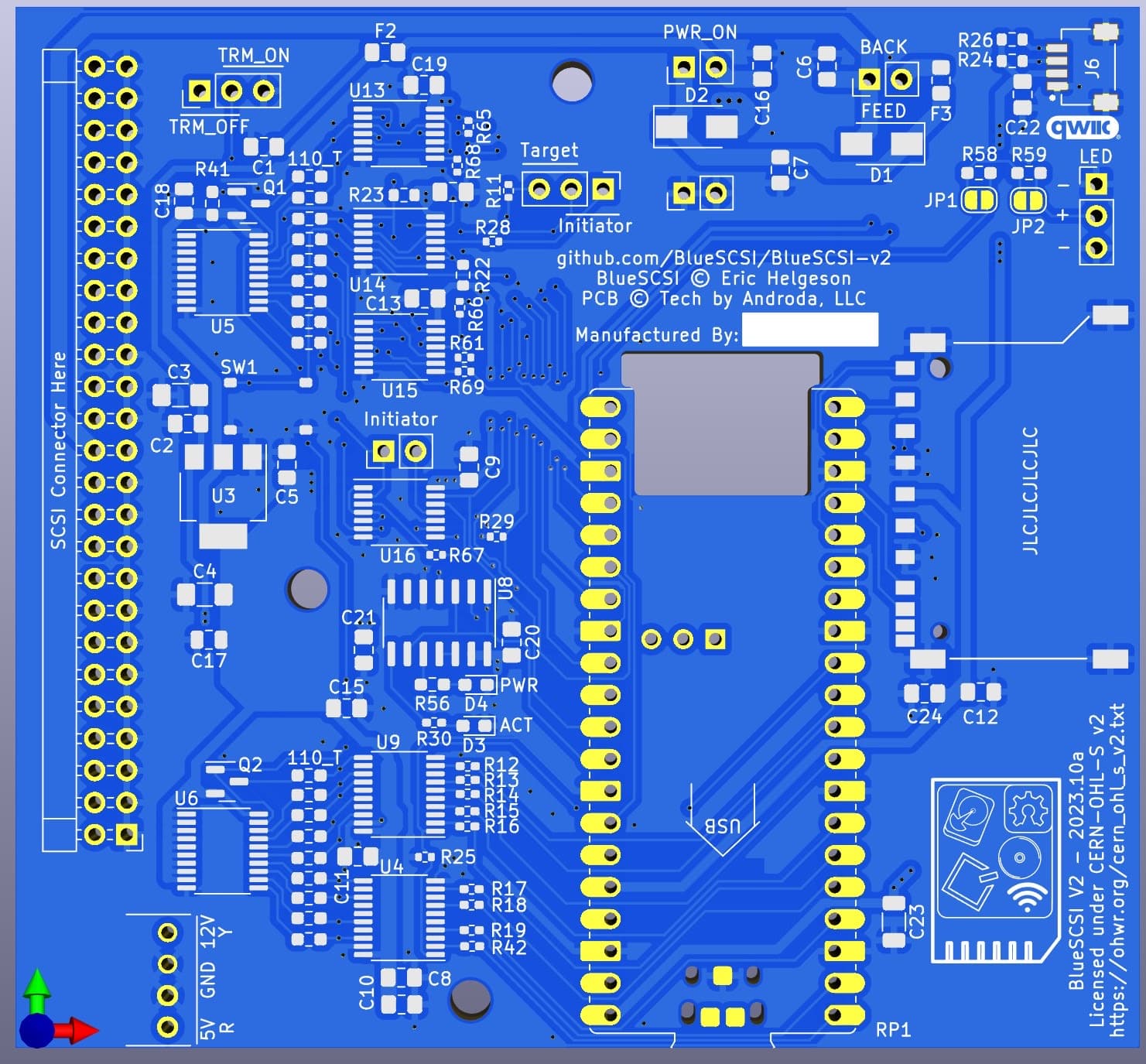
BlueSCSI / ZuluSCSI
- Installation: Open and fit
- Reversible
- Open project
SCSI drive emulators using an SD card. BlueSCSI v2 is open hardware, based on the Raspberry Pi Pico, with GPL-3.0 firmware [28]; ZuluSCSI, from Rabbit Hole Computing, also has GPLv3 firmware [31]. They work with the A3000's motherboard SCSI, with the A590 and A2091, with the GVP HD8 and with the CDTV's SCSI board [29]. BlueSCSI v2 with a Pico W even gives you wireless networking, emulating a DaynaPORT adapter with a driver by RobSmithDev [30] [29].
Careful Some controllers need tweaks in the configuration file, such as EnableSCSI2=0 on the A590 and A3000 [29]. On the A4000 with an A4091, DMA must be limited to the first 128 MB of memory [29].
Machines: Amiga 500, Amiga 2000, Amiga 3000, Amiga 4000, Amiga CDTV
Official page ↗Photo: BlueSCSI · CERN-OHL-S 2.0 · GitHub
Video
Many modern screens won't accept the Amiga's original video signal. These solutions convert it to VGA or HDMI, some from the inside, by reading the chips, others from the outside, from the RGB signal.
RGBtoHDMI
- Installation: Open and fit
- Reversible
- Open project
A Raspberry Pi Zero with a small CPLD board, with open firmware (GPL-3.0), that samples the digital video of old computers and converts it to HDMI [32]. On the Amiga, an adapter between the Denise chip and its socket gives a perfect picture, pixel for pixel [33]; there are ready-made boards for the A500, A1000 and A2000, the last via the video slot [34].
Careful It only works on Amigas with 12-bit video, not AGA [33]. On the A600 the Denise has a different package and needs its own adapter, and the internal version means finding a way out for the HDMI socket on the case [33].
Machines: Amiga 1000, Amiga 500, Amiga 500 Plus, Amiga 600, Amiga 2000
Official page ↗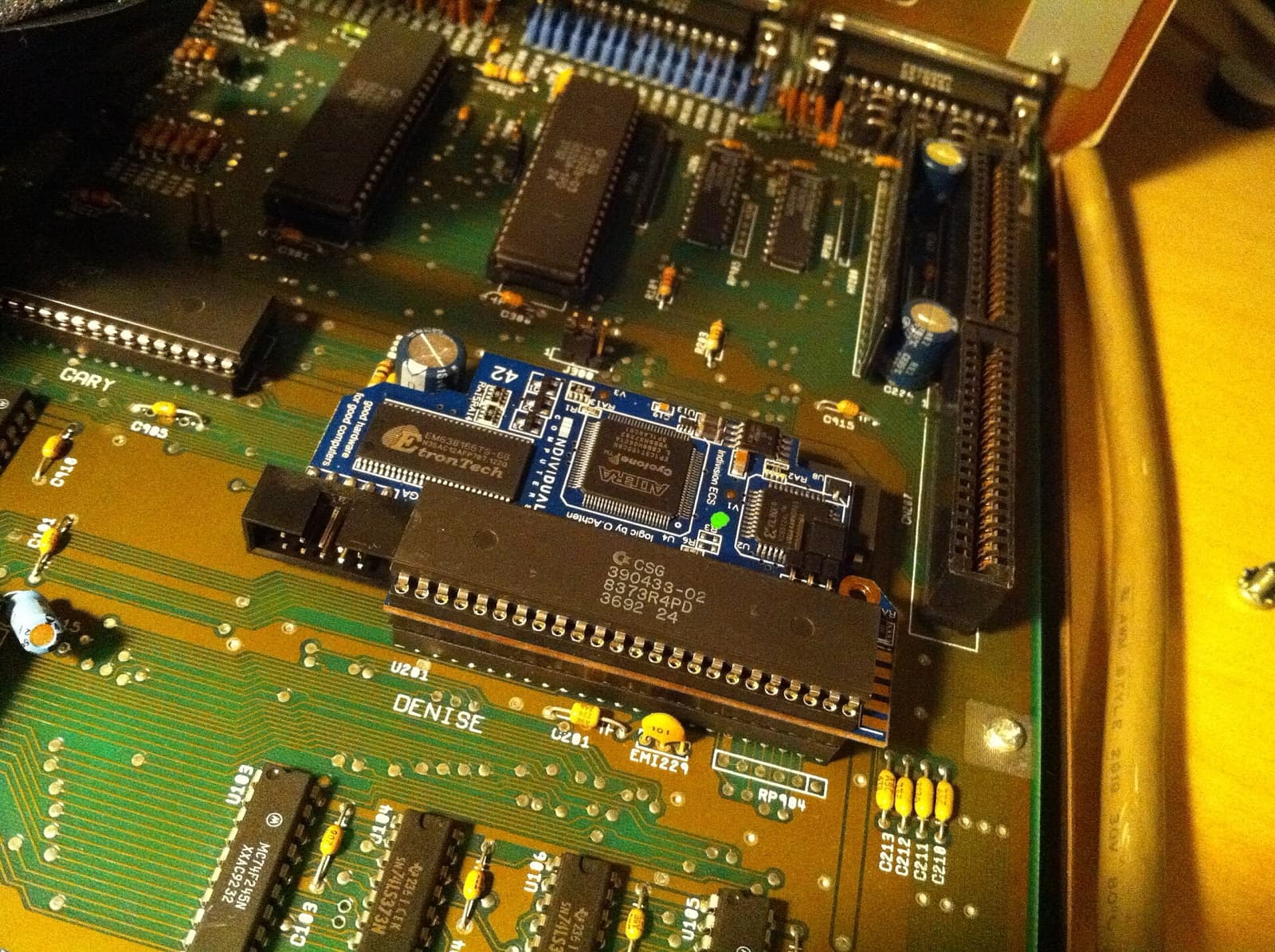
Indivision ECS
- Installation: Open and fit
- Reversible
Individual Computers' flicker fixer for OCS and ECS Amigas with a socketed Denise [35]. It converts all screen modes to 60 Hz or more, shows Super-Hires mode at full resolution and can imitate the scanlines of an old monitor [35]. The V4 adds live configuration and reading of the monitor's data (EDID), like the AGA version [36].
Careful The V3's output is VGA [35]. On the A1000 it needs a separate adapter [35]. The photo shows an earlier version, fitted in an A2000.
Machines: Amiga 1000, Amiga 500, Amiga 500 Plus, Amiga 600, Amiga 2000, Amiga 3000, Amiga CDTV
Official page ↗Photo: Blake Patterson · CC BY 2.0 · Wikimedia CommonsIndivision AGA MK3
- Installation: Open and fit
- Reversible
The A1200 version: it fits over the Lisa chip and clips onto a CIA to receive the keyboard [37]. It has VGA and digital output, syncs to the Amiga's V-Sync to avoid tearing and lets you adjust the picture with a key combination, without leaving the game [37]. It also gives resolutions such as 1280x1024 in Workbench without a graphics card [37].
Careful It also works on the A4000T, but you first need to replace a component on the motherboard [37].
Machines: Amiga 1200
Official page ↗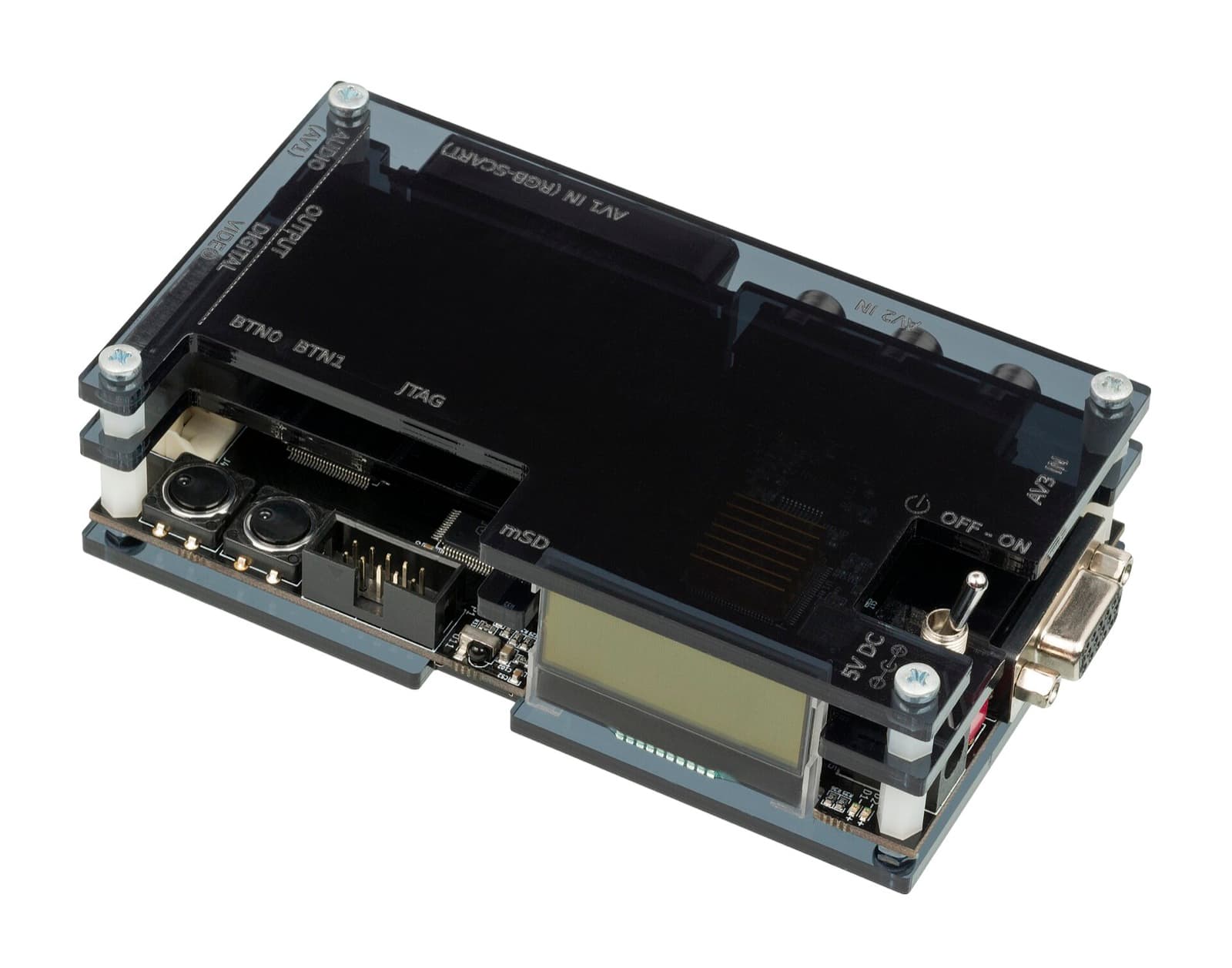
OSSC (Open Source Scan Converter)
- Installation: Plug in
- Reversible
- Open project
An external, open (GPL-3.0), low-latency converter made for connecting old consoles and computers to modern screens [38]. It accepts RGB via SCART, component video and VGA [38]. Nothing is changed inside the Amiga: it's just a cable.
Machines: Amiga 1000, Amiga 500, Amiga 500 Plus, Amiga 600, Amiga 1200, Amiga 2000, Amiga 3000, Amiga 4000, Amiga CDTV
Official page ↗Photo: Evan-Amos · Public domain · Wikimedia Commons
Memory
Chip RAM is the memory the graphics and sound chips can use, and the maximum depends on the Agnus version [17]. Fast RAM is seen only by the processor, and these days it nearly always comes with accelerators.
1 MB (or 2 MB) of chip RAM in the A500
- Installation: Workbench
- Leaves a mark
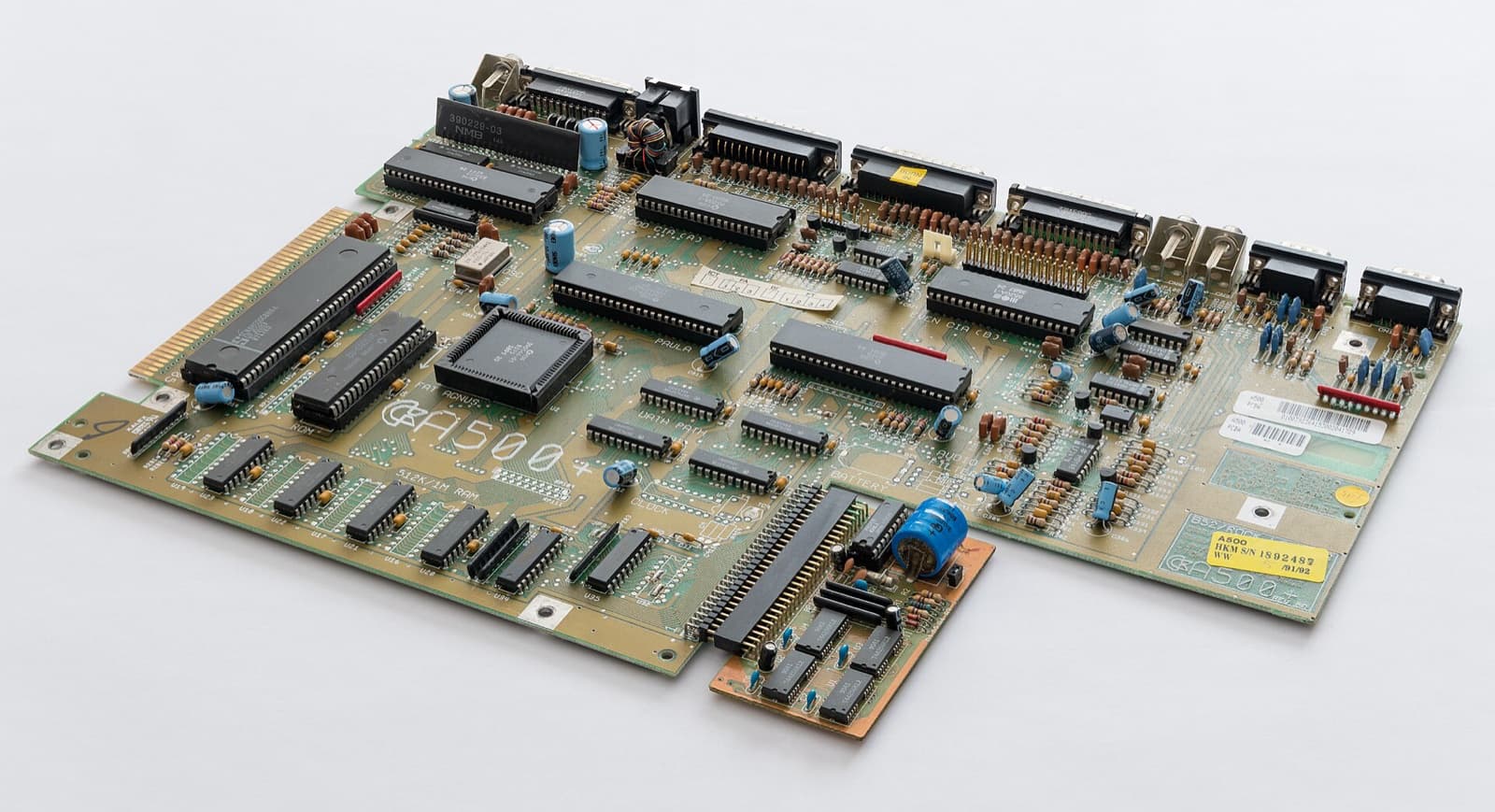
On a revision 6A A500 with the 8372A Agnus, the trapdoor memory can become chip RAM, for 1 MB in total [18]. It means cutting a trace between two contacts of the JP2 jumper and soldering the other two [18]. On revision 8A, with the 8375 Agnus, it's possible to reach 2 MB, by soldering in the missing memory chips and adding more memory on top [19].
Careful It involves cutting traces and soldering on the motherboard: it can't be reversed without leaving a mark. Check the board revision and the Agnus version first [17] [18].
Machines: Amiga 500
Official page ↗Photo: Granada · CC BY-SA 4.0 · Wikimedia Commons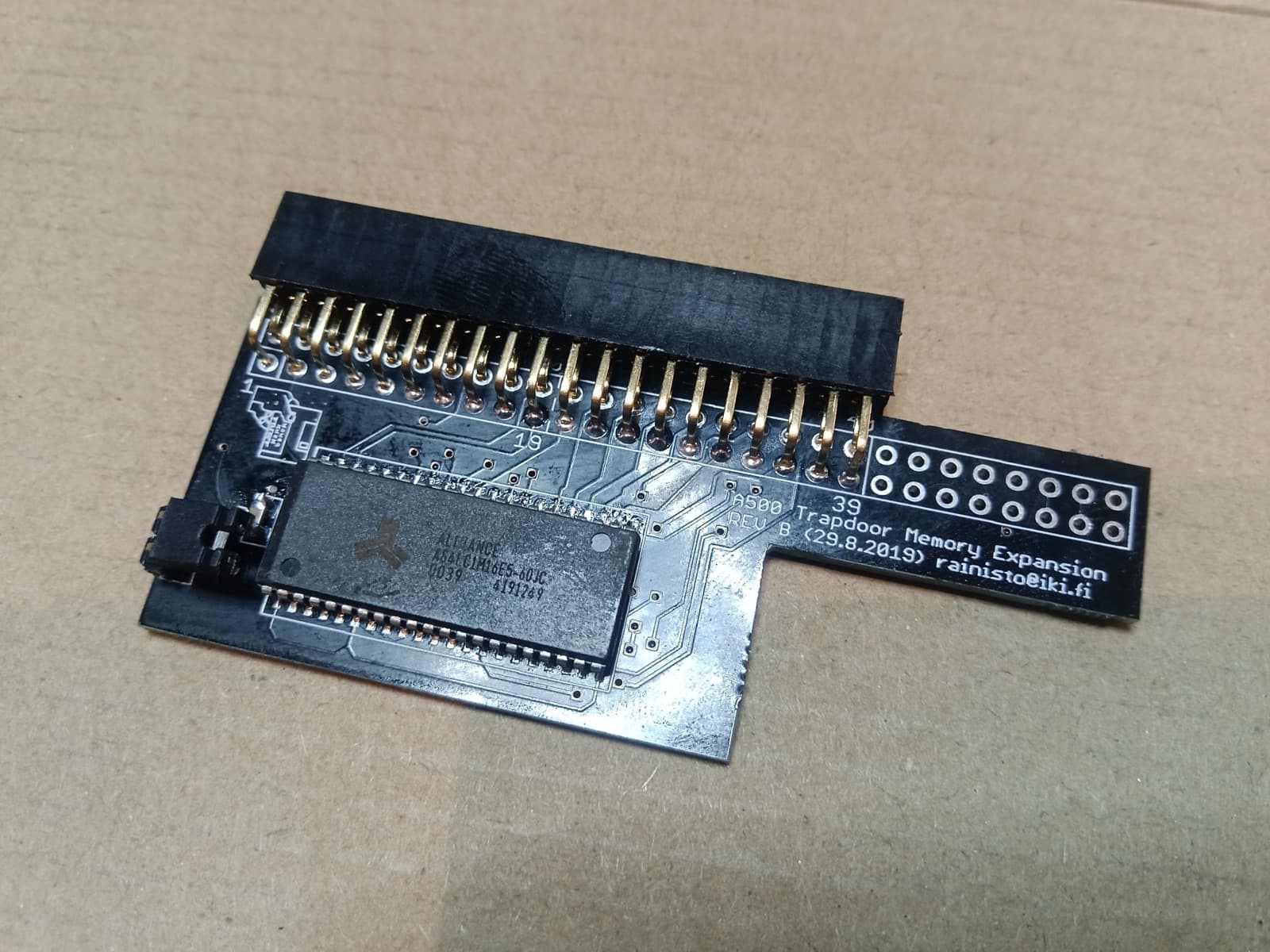
Minimal A501
- Installation: Plug in
- Reversible
- Open project
A 512 KB expansion for the A500 trapdoor, in the spirit of Commodore's A501, designed to be cheap and published under the MIT licence [20]. It's the first expansion any A500 should have, and the basis of the 1 MB chip RAM mod [18].
Machines: Amiga 500
Official page ↗Photo: Jonni Rainisto · MIT (repositório) · GitHub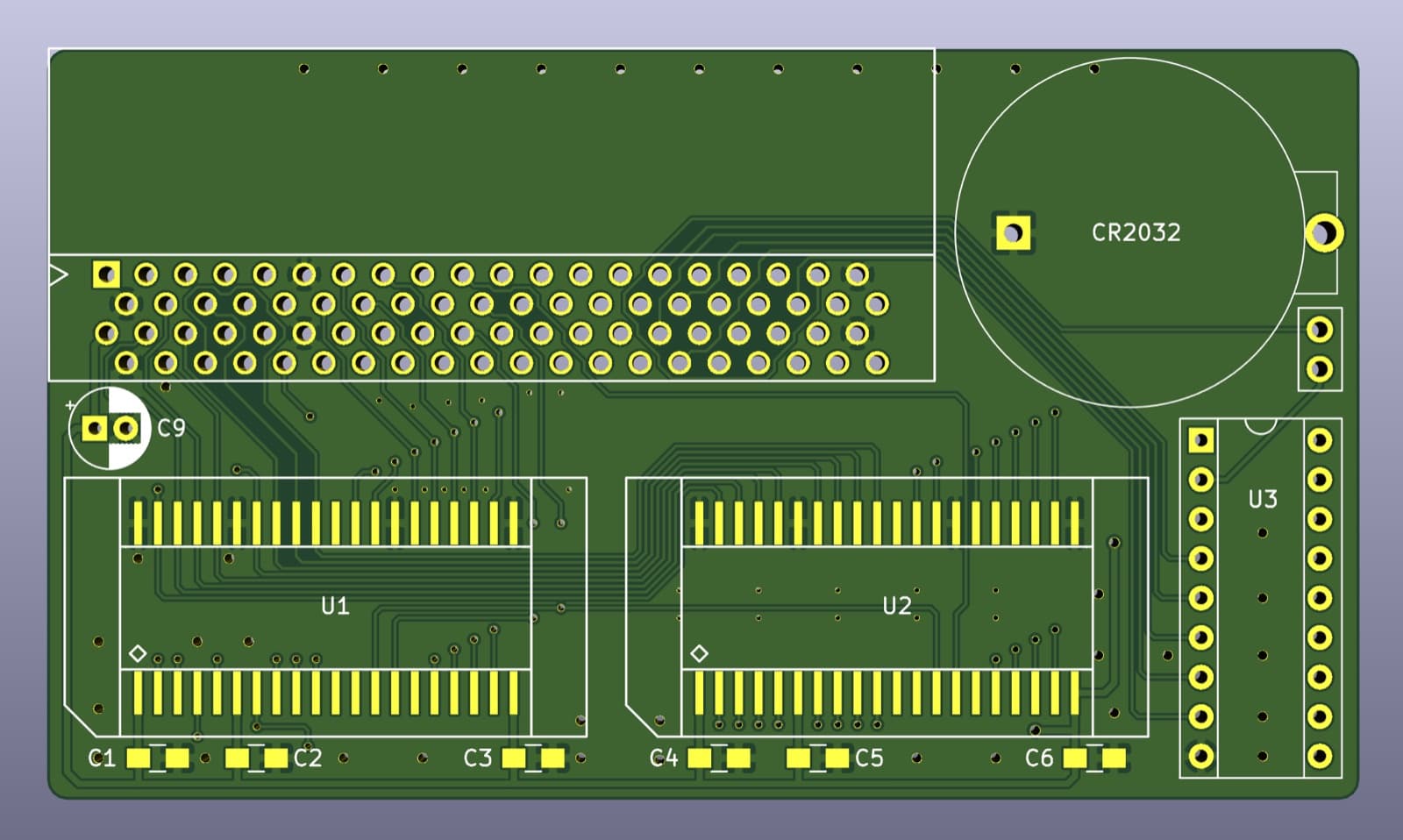
OpenAmiga600RamExpansion
- Installation: Plug in
- Reversible
- Open project
An open expansion (CERN OHL 1.2) that adds 1 MB of chip RAM to the A600, up to 2 MB, with an optional clock [21]. It fits in the trapdoor on the underside of the computer [21].
Careful The clock uses a CR2032 battery; the author recommends removing batteries from machines you don't use [21].
Machines: Amiga 600
Official page ↗Photo: SukkoPera · CERN-OHL 1.2 · GitHub
Accelerators
Boards that replace or complement the processor: some with real 68030 or 68060 chips, others with the 68k emulated on a Raspberry Pi or an FPGA. Nearly all of them also bring fast RAM.
PiStorm
- Installation: Open and fit
- Reversible
- Open project
A board that goes into the 68000 socket and carries a Raspberry Pi, which takes over as the processor [1]. It works on the A500, A500+, A1000 and A2000, and the recommended Pi is the 3A+ (the Zero 2 also works) [1]. As well as the CPU, it gives you fast RAM, file-based drives (PiSCSI) and an RTG graphics card [1]; according to the project, performance is around that of a 68030 at 100–125 MHz [1].
Careful The project itself warns that some bus lines are not yet handled as on a real 68000, which limits compatibility beyond the A500 and A2000; on the CDTV support is partial [1].
Machines: Amiga 500, Amiga 500 Plus, Amiga 1000, Amiga 2000
Official page ↗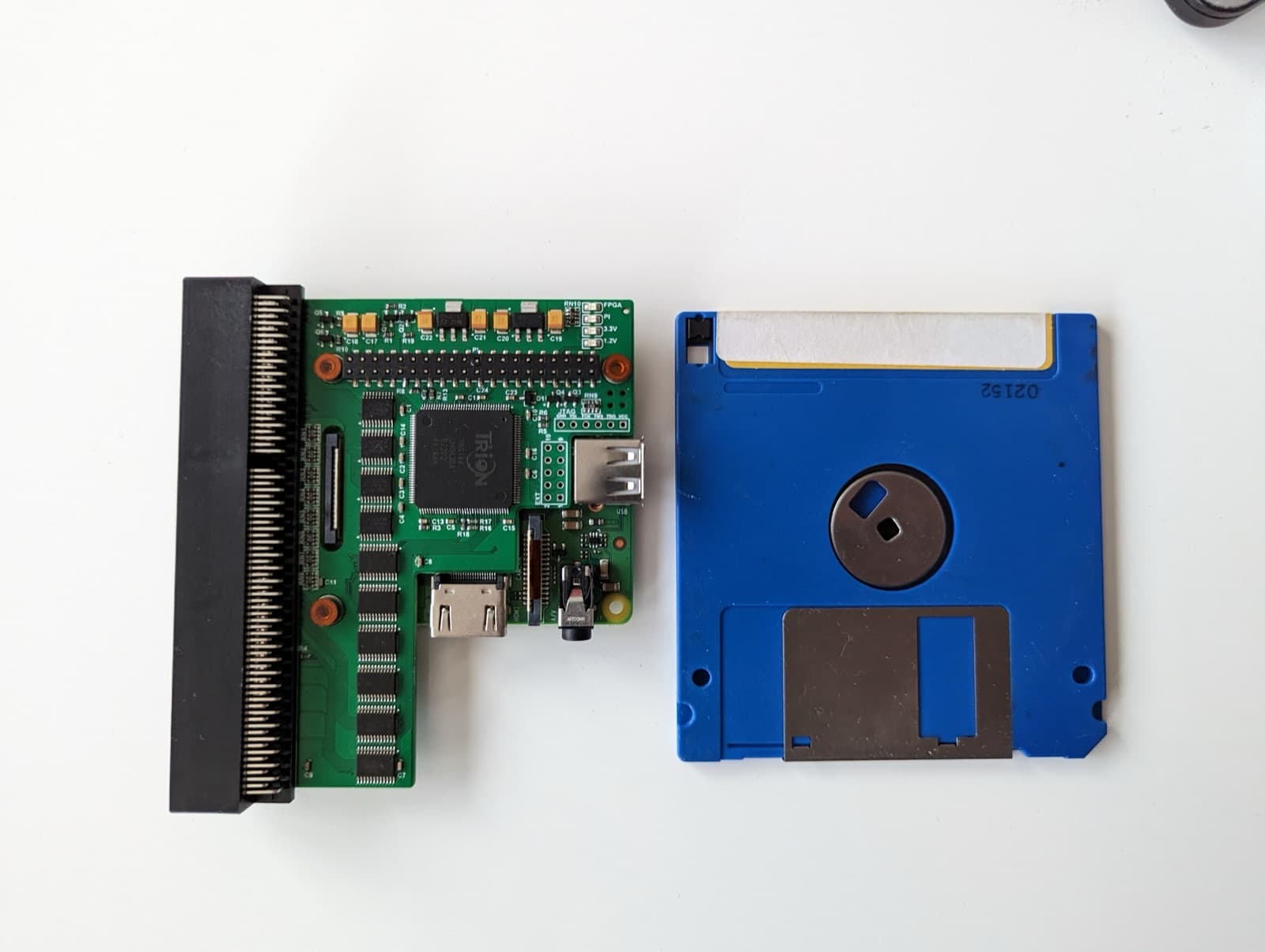
PiStorm32-lite
- Installation: Plug in
- Reversible
- Open project
The PiStorm version for the A1200: an open project by Claude Schwarz, under the MIT licence, that uses a Raspberry Pi 3A, 3B, 4B, Zero 2 or CM4 [2]. It runs Emu68, and the guide recommends a Pi with 2 GB, because AmigaOS doesn't use more than 2 GB of fast RAM [3].
Careful Insulate the Pi's pins on the keyboard side with two or three layers of tape; without that, you can burn out the Pi [2]. The guide also says to apply a thermal pad to the heatsink [3].
Machines: Amiga 1200
Official page ↗Photo: Claude Schwarz (captain-amygdala) · MIT (repositório) · GitHubEmu68
- Installation: Plug in
- Reversible
- Open project
A 68k emulator by Michal Schulz that boots directly on the Raspberry Pi, without Linux, and translates 68k instructions into ARM [4]. It is open (MPL-2.0) and works on the PiStorm and the PiStorm32-lite [4] [3]. The Emu68-tools add drivers such as VideoCore.card, for graphics, and WiFiPi.device, for wireless networking [5].
Machines: Amiga 500, Amiga 500 Plus, Amiga 1000, Amiga 2000, Amiga 1200
Official page ↗Vampire V4 (Firebird, Icedrake, Manticore)
- Installation: Open and fit
- Reversible
Accelerators from the Apollo Team with the 68080, a 68k-compatible core programmed into an FPGA, not a Motorola chip [9]. There are three models: Firebird for the A500, A1000 and A2000 [6], Icedrake for the A1200 trapdoor [7] and Manticore for the A600 [8]. They come with 512 MB or 1 GB of memory, the SuperAGA chipset, digital video and audio output and a built-in flicker fixer [6] [7]. According to the manufacturer, the 68080 reaches 175 MIPS [9].
Careful It is a closed project. The V2 models are no longer on sale in the Apollo shop [9]. Apollo also sells the V4 Standalone, which is not a mod but a complete computer [10].
Machines: Amiga 500, Amiga 1000, Amiga 2000, Amiga 600, Amiga 1200
Official page ↗Warp 1260 / Warp 560
- Installation: Open and fit
- Reversible
Accelerators from CS-Lab with a real 68060: the Warp 1260 for the A1200 trapdoor [11] and the Warp 560 for the A500 [12]. They come with 256 MB of memory, a Picasso96-compatible RTG graphics card, USB, a microSD reader and fast IDE for CF [11] [12]. The 1260 adds 16-bit audio, Wi-Fi and room for four Kickstarts [11].
Careful The 68060 is not included: you have to source it yourself and, for the socketless version, send it to CS-Lab [11] [12].
Machines: Amiga 500, Amiga 1200
Official page ↗ACA1233n / ACA1234
- Installation: Plug in
- Reversible
68030 accelerators from Individual Computers for the A1200 trapdoor, with 128 MB of self-configuring memory [13]. They don't disable the PCMCIA slot and can switch off the 68030 to return the A1200 to stock, for software that doesn't like acceleration [13]. The ACA1234 adds its own CF reader and an internal IDE speed-up, and the speed (25 to 50 MHz) is unlocked by licence [14].
Careful Some A1200 motherboards left the factory with the wrong timing components and need capacitors E123C and E125C removed to work properly with accelerators [13].
Machines: Amiga 1200
Official page ↗Terrible Fire TF536 / TF1230
- Installation: Open and fit
- Reversible
Accelerators by Stephen J. Leary with the schematics and firmware published. The TF536 puts a 68030 in the 68000 socket of the A500 or CDTV, with up to 128 MB of memory and IDE [15]; the TF1230 is the A1200 version, with the 68030 at 50 MHz and IDE for CF cards [16].
Careful The licence (CC BY-ND) allows building and selling, with credit, but not distributing modified versions [15] [16]. The author asks that the A1200 timing fixes be done before using the TF1230, and recommends buying the board ready-built [16].
Machines: Amiga 500, Amiga CDTV, Amiga 1200
Official page ↗
Kickstart
Kickstart is the Amiga's boot firmware, stored in ROM [40]. Swapping it gives you a newer system or, in the case of DiagROM, a diagnostic tool.
AmigaOS 3.2 / Kickstart 3.2
- Installation: Open and fit
- Reversible
AmigaOS 3.2, from Hyperion Entertainment, comes as a CD image with the Kickstart ROM images and the install disks for every model [39]. It brings more than a hundred new features, supports drives larger than 4 GB and still runs on a 68000 [39].
Careful It's a commercial product: you have to buy it. To use the Kickstart on a real machine, the image has to be burned to a ROM chip or loaded by a board with MapROM, such as the ACAs [13]. Some old games don't like recent Kickstarts [40].
Machines: Amiga 1000, Amiga 500, Amiga 2000, Amiga 3000, Amiga CDTV, Amiga 500 Plus, Amiga 600, Amiga 1200, Amiga 4000, Amiga CD32
Official page ↗DiagROM
- Installation: Open and fit
- Reversible
A diagnostic ROM by John "Chucky" Hertell, burned to a 27C400 or 27C800 EPROM in place of the Kickstart [41]. It tests the memory, the floppy drive, the CIAs, the interrupts and the clock, and also sends the results over the serial port, at 9600 bps [41] [42]. It is free [41].
Careful The code is public for reading only: you can use it and even sell burned ROMs, but not distribute modified versions [42] [41].
Machines: Amiga 500, Amiga 500 Plus, Amiga 600, Amiga 1200, Amiga 2000, Amiga 3000, Amiga 4000
Official page ↗
Input
Adapters for connecting USB mice and controllers to the Amiga's original ports, without touching the inside of the machine.
mouSTer
- Installation: Plug in
- Reversible
An adapter from Retrohax that connects USB mice and controllers to the Amiga's ports, including wireless mice with a USB receiver and Sony and Xbox controllers [43]. It works from the A500 to the A4000 and also emulates the CD32 controller [43]. The firmware is updated with a USB stick [43].
Machines: Amiga 1000, Amiga 500, Amiga 600, Amiga 1200, Amiga 2000, Amiga 3000, Amiga 4000, Amiga CD32
Official page ↗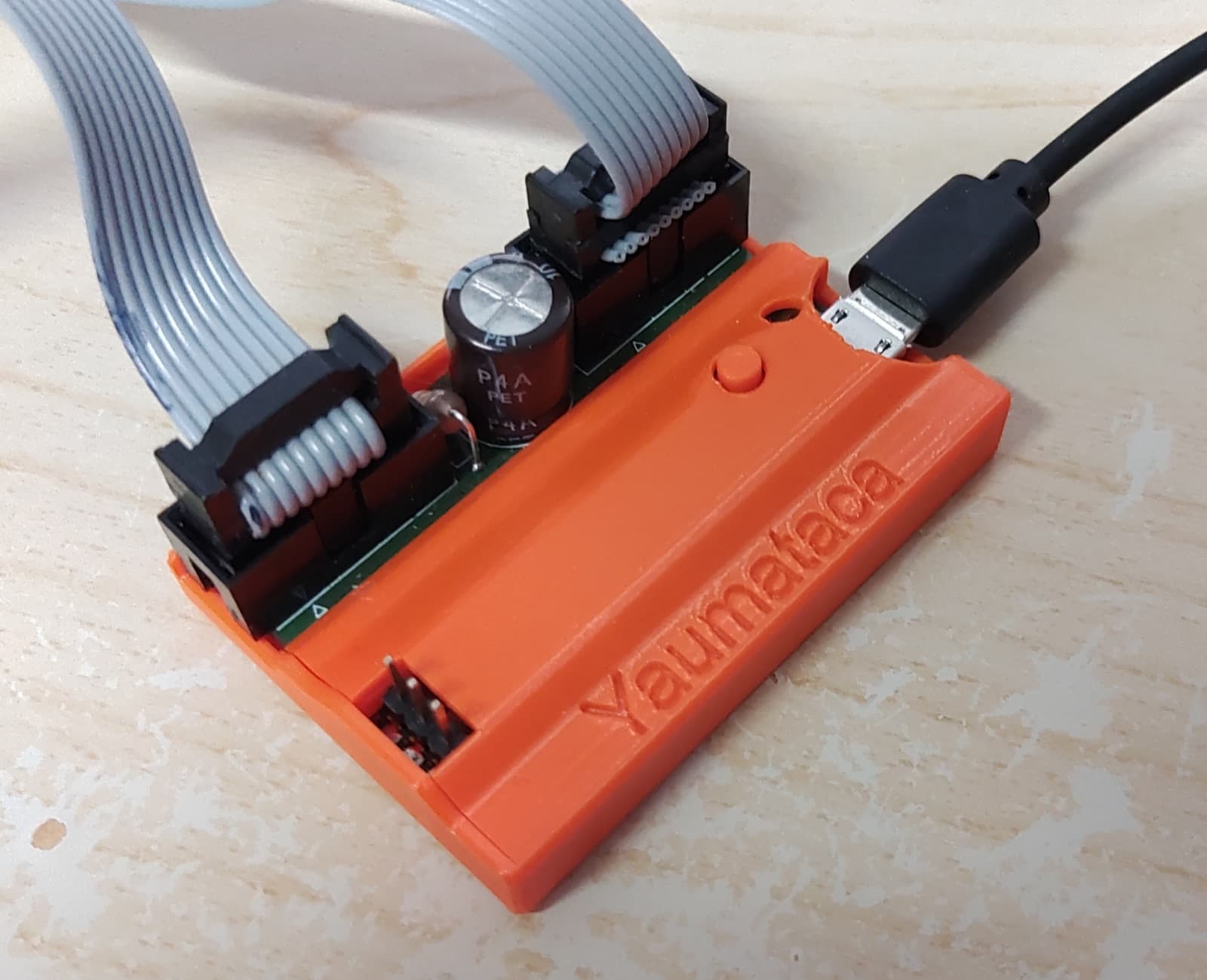
Yaumataca
- Installation: Plug in
- Reversible
- Open project
An open (MIT) adapter by Slamy, built with a Raspberry Pi Pico, that connects USB mice and controllers to the Amiga's ports [44]. It takes up to two mice and two joysticks at the same time and supports the mouse wheel with the WheelBusMouse driver [44].
Machines: Amiga 1000, Amiga 500, Amiga 500 Plus, Amiga 600, Amiga 1200, Amiga 2000, Amiga 3000, Amiga 4000
Official page ↗Photo: Andre Zeps (Slamy) · MIT (repositório) · GitHub
Networking and Zorro boards
Networking via PCMCIA, the parallel port or a Zorro board, and modern boards that combine high-resolution graphics, networking and USB in the big-box Amigas.
PCMCIA network card
- Installation: Plug in
- Reversible
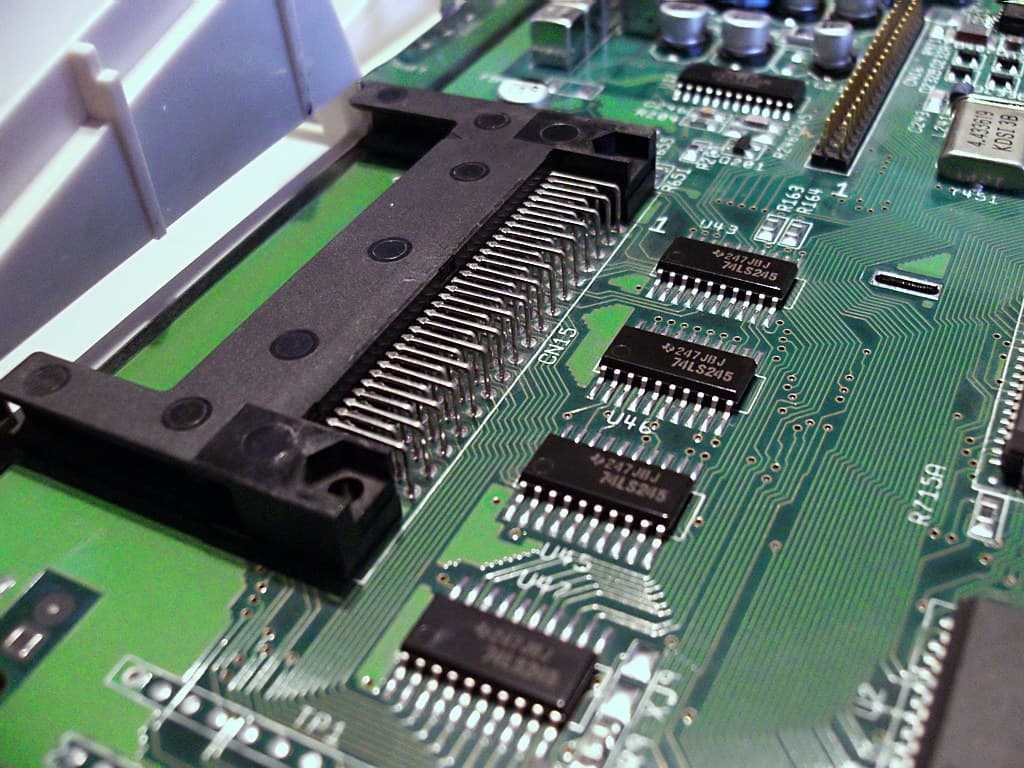
The PCMCIA slot on the A600 and A1200 takes laptop network cards. cnet.device, by Rolf Anders, works with most NE2000-compatible Ethernet cards [45]; prism2.device, by Neil Cafferkey, with wireless cards using the Prism II chipset [46].
Careful Not every accelerator leaves the PCMCIA slot working: the ACA1233n, for example, guarantees it doesn't disable it [13]. For cards that don't respond, CardReset forces the slot's reset signal [47]. Prism II cards are 11 Mbps [46].
Machines: Amiga 600, Amiga 1200
Official page ↗Photo: MOS6502 · Public domain · Wikimedia Commonsplipbox
- Installation: Plug in
- Reversible
- Open project
An Arduino with Ethernet that connects to the Amiga's parallel port and carries IP traffic to the local network, under the GPL-2 licence [48]. It needs no expansion slots: the parallel port is enough [48].
Machines: Amiga 500, Amiga 500 Plus, Amiga 600, Amiga 1200, Amiga 2000, Amiga 3000, Amiga 4000
Official page ↗X-Surf-100
- Installation: Open and fit
- Reversible
A 100 Mbps Ethernet card from Individual Computers for the A2000, A3000 and A4000: it works as Zorro II in the A2000 and as Zorro III in the other two [49]. It uses a SANA-II driver [49].
Careful It needs a separate TCP/IP stack, such as Roadshow or AmiTCP [49].
Machines: Amiga 2000, Amiga 3000, Amiga 4000
Official page ↗MNT ZZ9000
- Installation: Open and fit
- Reversible
- Open project
A Zorro board from MNT Research with a Xilinx Zynq, which combines an FPGA, two ARM cores and 1 GB of memory [50]. It gives RTG graphics up to 1920x1080, Ethernet with a SANA-II driver and USB for drives [50]; the optional ZZ9000AX adds audio [50]. MNT publishes the drivers, firmware and schematics [50].
Careful It works in Zorro II and Zorro III; MNT also mentions the A500 [50].
Machines: Amiga 2000, Amiga 3000, Amiga 4000
Official page ↗
Power
New power supplies to replace the originals, which age badly and can't always cope with modern expansions [51]. Never open the 230 V side of a supply.
CA-PSU
- Installation: Plug in
- Reversible
A power supply from Individual Computers for the A500, A600 and A1200, with 5 V at 5 A and 12 V up to 4 A [51]. It compensates for the voltage drop in the cable, has overvoltage protection and waits a few seconds between switching off and back on, to protect modern boards [51].
Careful Never open the original supply: the 230 V side is dangerous. If you don't trust it, swap it for a new, sealed supply or bring it to the shop.
Machines: Amiga 500, Amiga 600, Amiga 1200
Official page ↗
We fit it for you
Bring the machine and the upgrade, or ask us for advice before you buy. We check the machine first: putting an accelerator in an Amiga with leaking capacitors is money thrown away.
- Upgrade installation (one item)
- €24.00
- Upgrade installation (up to 3 items)
- €54.00
- Upgrade installation (up to 5 items)
- €78.00
Sources
- [1]PiStorm · GitHub (captain-amygdala)
- [2]PiStorm32-lite hardware · GitHub (PiStorm)
- [3]Pistorm32-Lite · wiki.amiga.org
- [4]Emu68 · GitHub (Michal Schulz)
- [5]Emu68-tools · GitHub (Michal Schulz)
- [6]Firebird V4+ accelerator for Amiga 500 · Apollo Computer
- [7]Icedrake V4 · Apollo Computer
- [8]Manticore V4 · Apollo Computer
- [9]Card features: Vampire models · Apollo Computer
- [10]Apollo Standalone V4+ · Apollo Computer
- [11]Warp 1260 Turbo Board · CS-Lab (Amiga Warp)
- [12]Warp 560 Turbo Board (with CPU socket) · CS-Lab (Amiga Warp)
- [13]ACA1233n · Individual Computers (wiki)
- [14]ACA1234 · Individual Computers (wiki)
- [15]TF536 · GitHub (Stephen J. Leary, terriblefire)
- [16]TF1230 · GitHub (Stephen J. Leary, terriblefire)
- [17]Amiga Chip RAM · Wikipédia (en)
- [18]Upgrading my Amiga A500 to 1MB Chip RAM · Lyonsden Blog
- [19]Amiga 500: RAM hax · Retrohax
- [20]Minimal_A501 · GitHub (rainisto)
- [21]OpenAmiga600RamExpansion · GitHub (SukkoPera), 2019
- [22]FlashFloppy · GitHub (Keir Fraser)
- [23]FlashFloppy: Host Platforms · GitHub wiki (Keir Fraser)
- [24]A1200/A600 CF interface · Individual Computers (wiki)
- [25]Fitting a CF card to an Amiga 1200 · Adam Sampson (offog.org)
- [26]ACA500 · Individual Computers (wiki)
- [27]ACA500plus · Individual Computers (wiki)
- [28]BlueSCSI v2 · GitHub (BlueSCSI)
- [29]Compatibility · BlueSCSI Documentation
- [30]WiFi Amiga · BlueSCSI Documentation
- [31]ZuluSCSI · Rabbit Hole Computing
- [32]RGBtoHDMI · GitHub (hoglet67)
- [33]Amiga-Digital-Video · GitHub (Reinhard Grafl, c0pperdragon)
- [34]AmigaRGBtoHDMI · GitHub (LinuxJedi)
- [35]Indivision ECS V3 · Individual Computers (wiki)
- [36]Indivision ECS V4 · Individual Computers (wiki)
- [37]Indivision AGA MK3 · Individual Computers (wiki)
- [38]Open Source Scan Converter (OSSC) · GitHub (marqs85)
- [39]AmigaOS 3.2 · Hyperion Entertainment
- [40]Kickstart (Amiga) · Wikipédia (en)
- [41]Amiga DiagROM · diagrom.com (John "Chucky" Hertell)
- [42]DiagROMV2 · GitHub (ChuckyGang)
- [43]mouSTer · Retrohax
- [44]Yaumataca · GitHub (Slamy)
- [45]cnet.device · Aminet (Rolf Anders), 2007
- [46]prism2.device · Aminet (Neil Cafferkey)
- [47]CardReset · Aminet (Artur Pogoda)
- [48]plipbox · GitHub (Christian Vogelgsang)
- [49]X-Surf-100 · Individual Computers (wiki)
- [50]ZZ9000 resources · MNT Research, 2019
- [51]CA-PSU · Individual Computers (wiki)
- [52]WHDLoad · whdload.de (Bert Jahn)